
Automation
Everhex 0.5.23 · Updated 13 November 2026
Everhex can play long stretches by itself. Each of these switches is off until you turn it on.
Where each setting lives
- Settings → AUTOMATION: Auto-advance to new sectors, Auto Overcharge, Auto-pick Perks, Keep My Speed, Auto-Rush stops at wave, End run at wave.
- In a run, the corner buttons: AUTO-RUSH and AUTO (auto-buy). AUTO stays locked until Tower Level 16. The perk draft has its own Auto-pick switch.
- The Classic run setup on Home, once a second sector is open: the Automation row says whether Auto-advance is on, and OPEN shows the same AUTOMATION box as Settings.
- The Rift Pass screen: auto-fuse, for Rift Pass owners.
You can open Settings during a run: leave the run (the ⌂ button, Escape or back) and tap SETTINGS on the card. The run stays paused while Settings is open, and BACK takes you to the same moment, still paused. A setting the run only reads as it starts says "From your next run". Backup, restore and RESET TO DEFAULTS are only on Settings from Home.
Auto-Rush
- Does what the RUSH button does, every wave: it sends the rest of the wave's enemies in as soon as it can, instead of letting them arrive one by one.
- Turn it on from the AUTO-RUSH corner during a run.
- On phones and tablets, a short rewarded ad gives 5 minutes of Auto-Rush. The time only counts down while Auto-Rush is on and the run is running (not paused, not during a perk draft), and time left carries into your next run.
- With Remove Ads, and on PC, it is free and has no timer, and it stays on from one run to the next.
- "Auto-Rush stops at wave" (Settings → AUTOMATION) switches it off when a run reaches that wave. Empty or 0 means never.
Auto Overcharge
- Spends the Overcharge gauge the moment it is full, without a tap. In Siege it fires Vent instead.
- It is off by default because choosing when to spend the gauge, for example saving it for a boss, is a real decision.
- Settings → AUTOMATION → Auto Overcharge.
End Run At
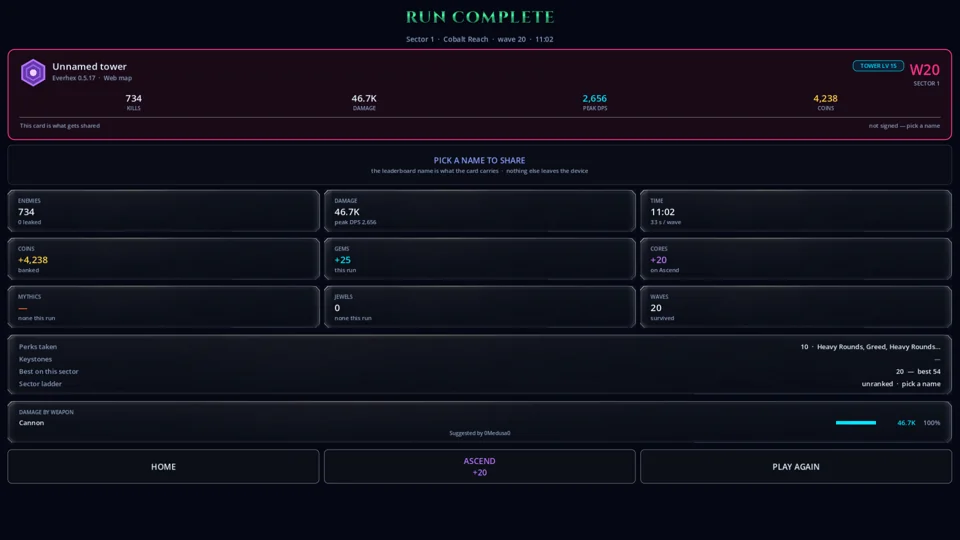
- Ends the run by itself once you clear the wave you set: paid in full, with the normal summary, titled RUN COMPLETE, and scored like any finished run. No revive is offered.
- Settings → AUTOMATION → End run at wave. Empty or 0 means never.
- It does nothing in a Rift, or when the run started past that wave (for example with a wave skip).
- It stays set until you change it. After an Ascension, a stop you set for your old build will still end your runs at that wave. The end card says so: "Ended at wave N by your End Run At setting (Settings)". After Auto-advance, the next run says it once more, and the first run on a sector where your best is already past the setting reminds you that it is on.

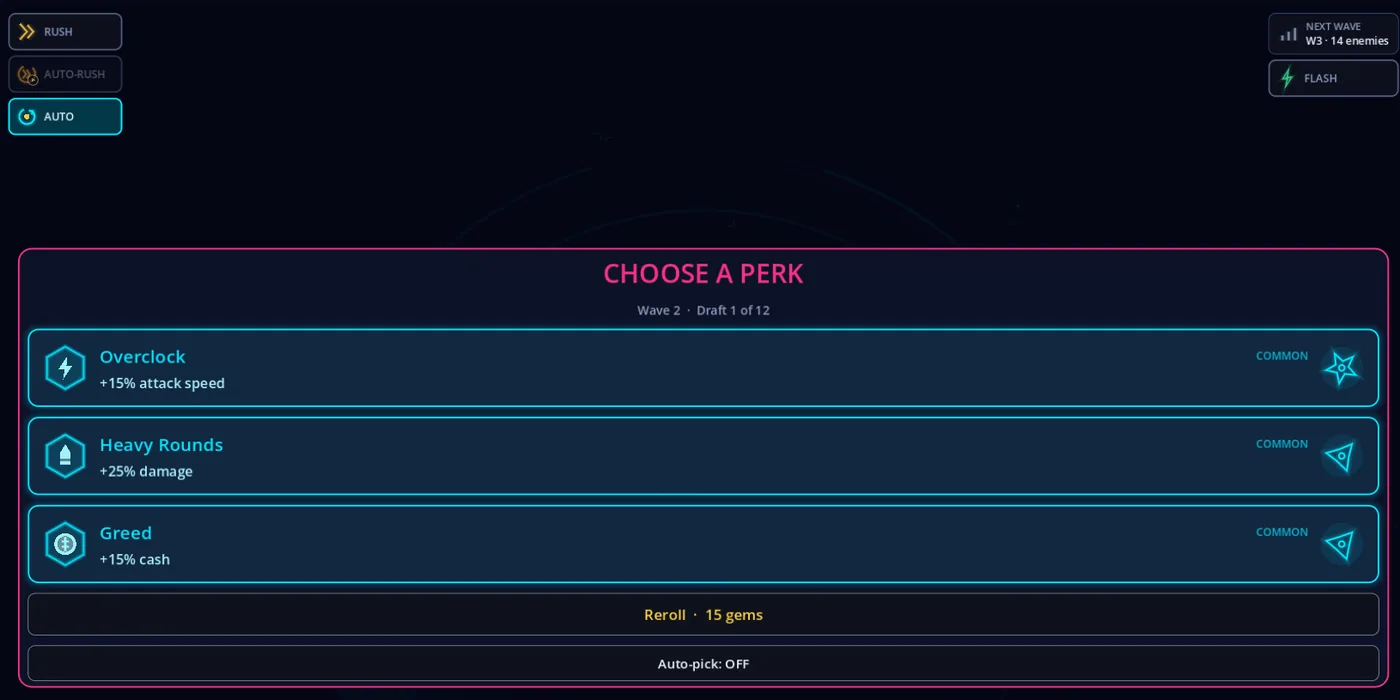
Auto-pick Perks
- The perk draft picks for you after 4 seconds. The countdown shows on the draft's own Auto-pick switch, so you can still choose a card yourself.
- It picks one of the three cards at random.
- Reading your perk history on the draft restarts the countdown.
- Settings → AUTOMATION → Auto-pick Perks, or the switch on the draft.
Auto-buy
- The AUTO corner button in a run. Every quarter of a second it buys the cheapest in-run upgrade you can afford, using your buy multiplier.
- AUTO is locked until your Tower Level reaches 16 (320 waves survived in total). Until then the button shows a padlock, and a tap says "AUTO unlocks after level 15". It opens by itself and says "AUTO UNLOCKED — buys the cheapest upgrade for you". If you had AUTO switched on before the lock, it buys nothing until then.
- Tap the padlock on an upgrade row to keep AUTO away from that line. You can still buy a locked line by hand, and the locks carry from run to run.
Auto-fuse (Rift Pass)
- For Rift Pass owners: at the end of every run, fuses your Common, Rare and Epic jewels as far as they go.
- Legendaries and Mythics are never auto-fused, and socketed or locked jewels are never used.
- Switch it on the Rift Pass screen: AUTO-FUSE AFTER EVERY RUN.
Keep My Speed and Auto-advance
- Keep My Speed starts every new run at the game speed you last chose (×1 or ×2). A resumed run keeps its own speed.
- Auto-advance: when a run opens the next sector, its end card counts down 3 seconds and then starts a new run on that sector. Tap the card to stop it.